Updating your software
The DiscoX software is always being improved. To keep your device working well and get the latest features, it’s a good idea to update it to the newest official version whenever you can. In this chapter, you’ll learn how to easily update your device so it keeps running smoothly.
Table of contents
- Step 1: Download the lastest software
- Step 2: Plug your DiscoX into your PC (in write mode)
- Step 3: Copy across the new files
- Step 4: Turn off/on
Step 1: Download the lastest software
The latest stable release can be found here: DiscoX Latest Stable.
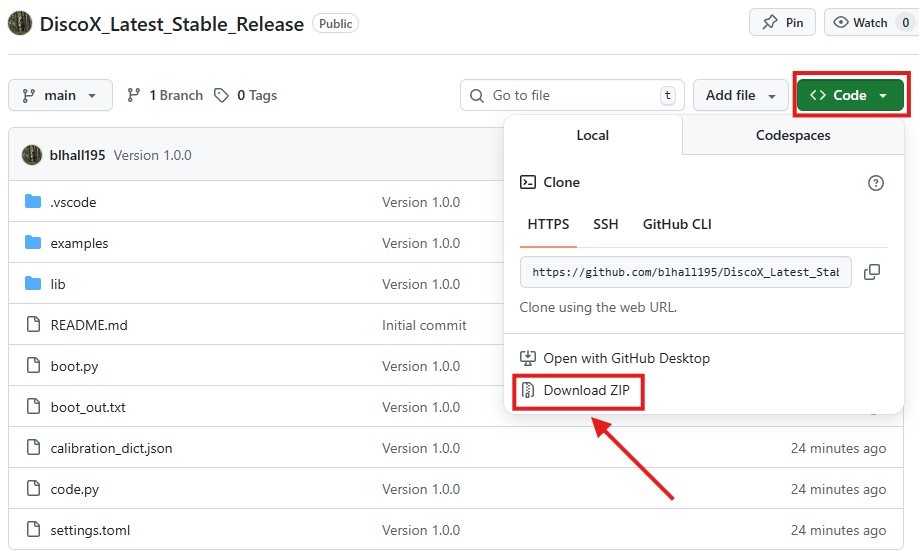
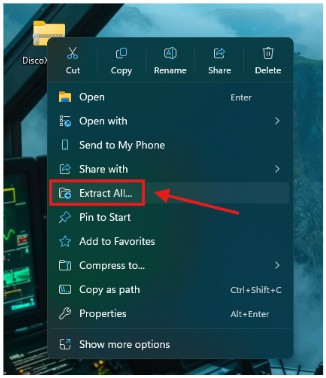
Once downloaded, right-click the downloaded zip-folder and select Extract All… to unzip its contents.
Step 2: Plug your DiscoX into your PC (in write mode)
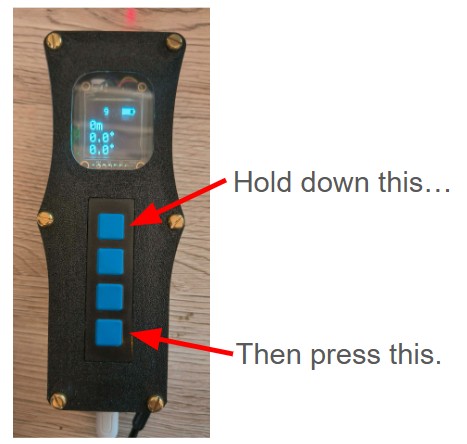
When connected to your PC, your DiscoX mounts in Read-only mode by default. To enable Write mode for software updates, turn it on while holding the top button. Once mounted, you can relase the top button and it will appear in your file explorer, allowing you to edit or replace files.
Step 3: Copy across the new files
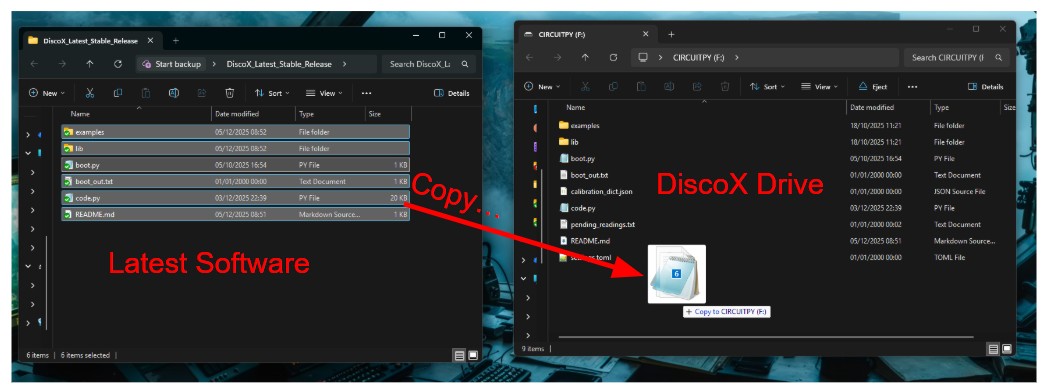
Copy all the extracted files to your DiscoX and choose Replace Existing when prompted.
Step 4: Turn off/on
Turn the DiscoX off and on again to activate the new software.